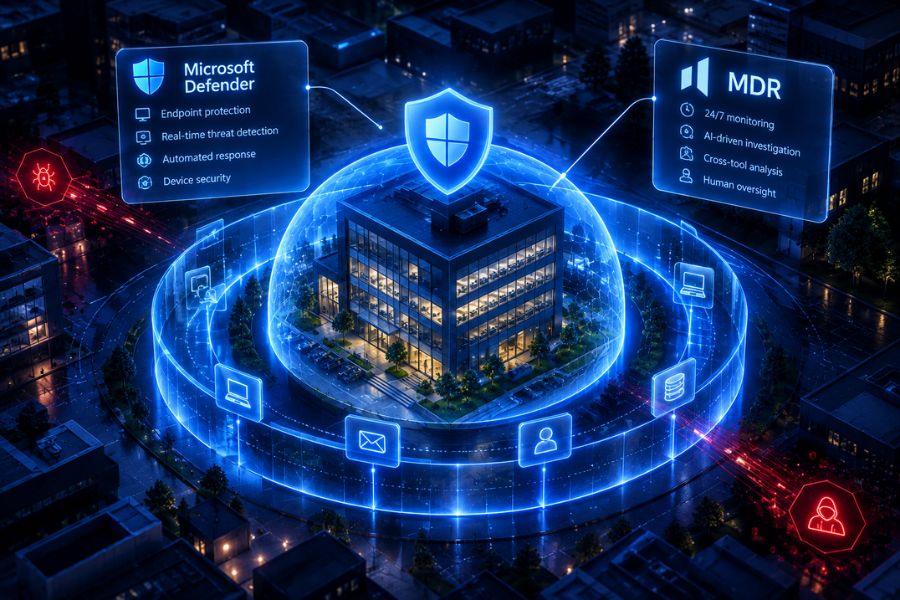
Is Microsoft Defender enough for a small business? For many organisations, Microsoft Defender for Business provides a strong foundation for protecting devices against cyber threats. It includes endpoint detection, automated investigation and remediation capabilities. However, having security tools does not necessarily mean someone is continuously reviewing incidents and managing threats across your wider business environment.
This is where Managed Detection and Response (MDR) can help. It adds an ongoing security service that investigates threats and supports response activities, often using the tools you already own.
What Does Microsoft Defender Give a Small Business?
Microsoft Defender for Business is an endpoint security solution designed for organisations with up to 300 users.
It helps protect business devices, including laptops, desktops and mobile devices, against malware, ransomware and other security threats.
According to Microsoft’s documentation, Defender for Business includes:
- Next-generation antivirus protection: Helps detect and block malicious software.
- Endpoint detection and response (EDR): Identifies suspicious activity on protected devices.
- Automated investigation and remediation: Supports automatic investigation and response to detected threats.
- Attack surface reduction: Helps reduce opportunities for attackers to exploit devices.
- Centralised security management: Provides visibility into device protection and security alerts.
For businesses using Microsoft 365 Business Premium, Defender for Business is included in the subscription.
These are valuable capabilities, particularly for smaller organisations without extensive cybersecurity resources.
However, Microsoft offers several Defender products and licensing options. The protection available across endpoints, email, identity and cloud applications depends on the services your business has enabled.
What Does Microsoft Defender Still Leave to Your Team?
Microsoft Defender for Business includes automation, but organisations still need to manage their overall security operations.
Someone must understand which incidents matter, review unresolved findings, maintain security configurations and coordinate responses when threats involve multiple systems.
For example, imagine an employee receives a suspicious email, signs into a compromised account and subsequently downloads sensitive business documents.
Endpoint protection may identify suspicious device behaviour. However, investigating the full incident could require information from email security, identity management and cloud applications.
Depending on your Microsoft licences and configuration, some of this investigation may already be supported by Microsoft Defender XDR.
The important questions are whether those capabilities are available, correctly configured and actively managed.
Common operational challenges include:
- Reviewing alerts that require additional investigation.
- Connecting security information across different products.
- Responding to incidents outside normal working hours.
- Maintaining security settings and investigating recurring problems.
- Documenting incidents for management, customers or compliance purposes.
For an organisation with one IT administrator handling everyday technical support, these responsibilities can quickly become difficult to manage.
Understanding the difference between MDR and EDR helps clarify why security technology and managed security operations serve different purposes.
Microsoft Defender Alone vs Defender With Agentic MDR
The main difference is the additional investigation and response service operating alongside Microsoft Defender.
| Security capability | Microsoft Defender alone | Defender with Agentic MDR |
| Alert investigation | Built-in automation and internal team review | Additional AI-led investigation across connected tools |
| Nights and weekends | Automated protection continues; staff availability depends on the business | Continuous managed monitoring and investigation |
| Context from other tools | Depends on Microsoft licences and integrations | Connects information across supported security products |
| Response actions | Built-in Microsoft response capabilities | Coordinated response through connected tools and authorised workflows |
| Human approvals | Depend on Microsoft features and settings | Governance controls for higher-risk agentic actions |
| Investigation records | Microsoft security alerts and action records | Additional cross-tool investigation and action records |
Agentic MDR complements existing endpoint protection. It does not automatically replace the security capabilities already included with Microsoft Defender.
What Are the Signs Microsoft Defender Alone Is No Longer Enough?
There is no single company size at which every business needs MDR.
Instead, consider how effectively your organisation manages the security tools it already has.
Security Alerts Are Going Unreviewed
If important security alerts remain unresolved because employees are occupied with other responsibilities, your business may need additional investigation capacity.
This can contribute to alert fatigue, where large numbers of notifications make genuine threats harder to prioritise.
One Person Handles All IT and Security
An IT manager responsible for devices, user accounts, software and technical support may have limited time for detailed security investigations.
A managed service can reduce the amount of investigation work that depends on that individual.
You Cannot Explain Who Responds Outside Working Hours
Security tools can continue detecting threats when employees are unavailable.
However, businesses should know who investigates an unresolved incident, who can authorise containment and how critical decisions are escalated.
Customers or Auditors Ask for Security Evidence
Customers, insurers and auditors may request information about incident response procedures, security monitoring and documented actions.
Having protection installed is useful, but organisations also need to demonstrate how they manage security incidents.
How Does Agentic MDR Work With Microsoft Defender?
Agentic MDR (agentic managed detection and response) uses AI security analysts to monitor connected systems, investigate alerts and support threat response continuously, with human approval for higher-risk actions.
HOPLONai lists Microsoft Defender among the tools HOPLONai works with, alongside other endpoint and security technologies.
Rather than requiring businesses to replace their existing protection, HOPLONai connects security information across supported tools.
Its AI analysts help investigate related activity, identify potentially significant threats and support appropriate responses.
For example, an investigation could connect suspicious endpoint activity with related email or account information, depending on the available integrations.
Our article on how an investigation unfolds explains this process in more detail.
HOPLONai also uses Governance Gates to determine which actions AI analysts can perform automatically and which require human approval.
This allows businesses to add managed security operations while maintaining control over sensitive actions.
Explore HOPLONai’s Agentic MDR service to understand how connected security tools and AI analysts work together.
Frequently Asked Questions
Is Microsoft Defender an MDR?
Microsoft Defender for Business is primarily an endpoint security solution with detection, investigation and automated remediation capabilities. MDR is a managed service that provides ongoing investigation and response responsibilities, potentially using Defender as one of its security tools.
Is Defender for Business Enough for a Small Business?
It can provide appropriate endpoint protection for many small businesses, particularly when properly configured and actively managed. Whether additional MDR is needed depends on the organisation’s security risks, internal resources and ability to investigate incidents.
Do I Need to Replace Defender to Use MDR?
No. Many MDR services work with existing endpoint security products. HOPLONai supports Microsoft Defender as part of its connected security approach.
Does MDR Work With Microsoft 365?
MDR services can use information from supported Microsoft 365 security tools and services. Available monitoring, investigation and response capabilities depend on the provider’s integrations, Microsoft licences and configured permissions.
Who Responds to Defender Alerts at Night?
Microsoft Defender can continue detecting and automatically remediating supported threats outside business hours. Alerts requiring additional human investigation depend on your internal arrangements or managed security provider. Agentic MDR adds continuous managed investigation and defined escalation processes.
Get More From Microsoft Defender With HOPLONai
Microsoft Defender can be a valuable part of your cybersecurity strategy. The next step is making sure security alerts are investigated, threats are prioritised and response responsibilities remain clear.
HOPLONai helps businesses connect their existing security tools with AI security analysts that monitor, investigate and support response activities around the clock.
Already using Microsoft Defender? Book an Agentic MDR demo with HOPLONai to explore how your existing security investment can become part of a more connected security operation.