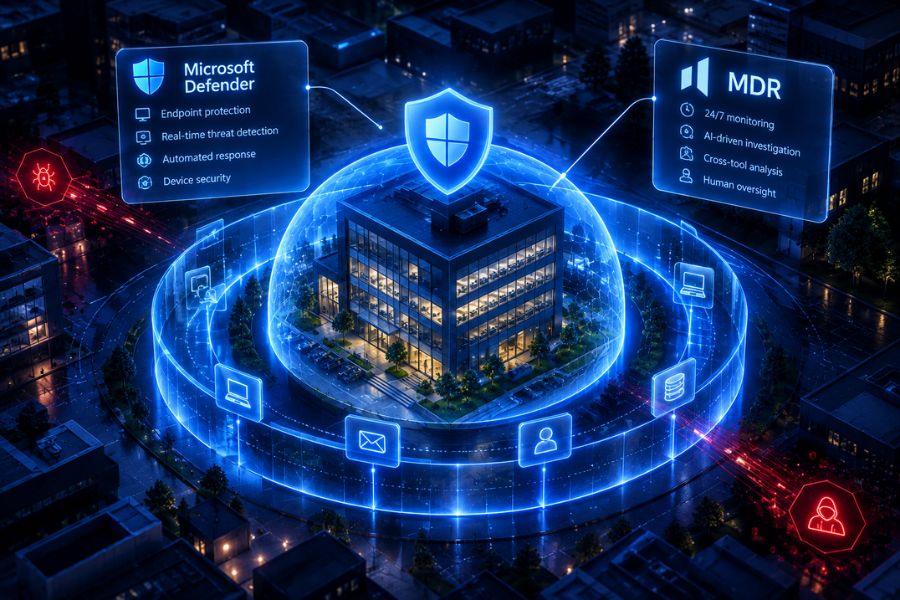
Yes. Managed detection and response (MDR) supports insider threat detection by examining unusual account access, data transfers and security events across connected business systems. It can help work out whether an incident involves a compromised account, an accidental mistake or deliberate misuse.
What MDR should not do is decide that an employee has done something wrong. Decisions about conduct, discipline and legal action must stay with authorised people.
In short:
- What MDR can do: spot unusual activity across identity, email, endpoint and cloud tools, connect the signals and produce an evidence-backed timeline.
- What it cannot do: prove intent, or replace HR and legal judgement.
- What UK law expects: monitoring that is necessary, proportionate and explained to staff in advance.
What Is an Insider Threat?
An insider threat is a risk that comes from someone with legitimate access to your systems. The UK’s National Protective Security Authority (NPSA), which publishes UK guidance on insider risk, defines an insider as anyone who has, or previously had, authorised access to or knowledge of an organisation’s resources, and it counts unintentional actions as well as deliberate ones.
For a lean IT team, suspicious activity on an employee’s account usually has one of three explanations:
- Compromised accounts: An attacker uses stolen credentials to access systems or sensitive information.
- Accidental mistakes: An employee shares confidential documents, changes permissions or transfers information incorrectly.
- Malicious insiders: Someone deliberately accesses information without authorisation, removes data or misuses their privileges.
The first is by far the most common. In the UK’s Cyber Security Breaches Survey 2025/2026, 38% of businesses experienced phishing attacks, the usual route to stolen credentials, while just 1% reported unauthorised access to files or networks by staff, even if accidental. That figure rises to 3% of medium and 6% of large businesses, and self-reported numbers may undercount insider incidents, which are harder to spot.
That is why context matters before anyone draws conclusions. An employee downloading a large number of files might be preparing for an authorised project. The same activity could indicate data theft, or an attacker using their account.
Which Insider Threat Signals Can MDR Monitor?
MDR investigates security events using information from connected tools. What it can see depends on the tools, permissions and monitoring policies in place. These insider threat examples show common signals and where they come from:
| Signal | Security source | Example |
| Unusual login | Identity security | Access from an unfamiliar location or device outside normal hours, or “impossible travel” between two distant locations |
| Suspicious email activity | Email security | A new forwarding rule sending messages to an external address |
| Unusual device behaviour | Endpoint protection | Unknown processes trying to access sensitive files |
| Large file transfers | Cloud storage or data loss prevention | Many confidential documents downloaded or shared externally |
| Risky website activity | Browser security | Visiting a site linked to credential theft |
| Privilege changes | Identity security | An account added to an admin group without a change request |
Many security tools use user and entity behaviour analytics (UEBA) to learn each account’s normal pattern and flag departures from it. Individual signals rarely explain much on their own: an unusual login might be harmless, but an unfamiliar login followed by unexpected downloads and a new forwarding rule deserves closer investigation.
Compromised Account or Malicious Insider? Key Insider Threat Indicators
The same alert can mean very different things. These insider threat indicators help an investigation tell the explanations apart, although no single signal proves intent:
| Indicator | Compromised account | Malicious insider | Accidental mistake |
| Sign-in pattern | New location, device or browser; repeated MFA prompts | The employee’s usual device and location | The employee’s usual device and location |
| Timing | Activity while the employee is offline or on leave | Activity concentrated before a resignation or role change | Ordinary working hours |
| Data movement | Bulk downloads soon after a suspicious sign-in | Gradual collection of data, or copies to personal storage | A single file shared with the wrong person |
| Mailbox changes | New rules that forward or hide emails | Uncommon | Uncommon |
| Typical next step | Reset credentials and confirm with the user through a separate channel | Preserve evidence and involve HR and legal before contacting the employee | Correct the sharing and refresh training |
Where stolen credentials are suspected, phishing triage adds context about how the account was compromised.
How Does Agentic MDR Handle Insider Threat Detection?
Agentic MDR (agentic managed detection and response) is a security service in which AI analysts monitor a business’s systems 24/7, investigate and connect alerts across its security tools, and take action to stop threats, with a person approving anything high-risk.
Consider a business where one employee account generates three alerts in an evening:
1. An out-of-hours login: The account signs in from a location that differs from its normal activity.
2. Unexpected file downloads: A significant amount of business information is accessed or downloaded.
3. A new email forwarding rule: Messages are set to forward to an unfamiliar address.
An AI analyst investigates these signals across identity, email and endpoint data. It checks whether the sign-in followed a suspicious email, whether the device shows signs of compromise and how the events relate to one another. It then produces a timeline, the supporting evidence and a recommendation.
If the evidence points to a compromised account, the recommendation might be to revoke active sessions, remove the forwarding rule and reset the password, with the account owner confirming through a separate channel. If it points to the employee, the recommendation is to preserve the evidence and escalate to the people who handle conduct, not to act against the employee.
For a step-by-step example, see how Agentic MDR investigates a security incident.
What Should MDR Never Decide on Its Own?
MDR can identify suspicious technical activity, but its findings should not determine an employee’s intentions. A security system should not decide on its own that someone has committed misconduct, should be disciplined or should lose their job.
UK data protection law reinforces this. The ICO’s guidance on monitoring workers says that where monitoring feeds automated decisions, organisations must comply with the UK GDPR’s rules on solely automated decision-making, offer human intervention to workers who ask for it, and make sure any human involvement is meaningful.
Sensitive security actions need safeguards too. Disabling an important account or wiping a device could interrupt legitimate work or destroy evidence needed for an investigation. HOPLONai uses Governance Gates to require human approval for high-risk actions.
Is Employee Monitoring Legal in the UK?
Yes, when it is done lawfully. UK employee monitoring laws, mainly the UK GDPR and the Data Protection Act 2018, do not prevent monitoring, but the ICO’s guidance on monitoring workers says it must be lawful and fair to workers. In practice, that means:
- Be clear about the purpose: check that monitoring is necessary and that there is no less intrusive way to achieve it.
- Identify a lawful basis: document which lawful basis applies and what personal information you process.
- Tell staff in advance: include specific information about monitoring in your privacy information. GOV.UK says employers must explain the amount of monitoring clearly in the staff handbook or contract.
- Consider a DPIA: complete a data protection impact assessment or document why one isn’t needed. The ICO says you must complete one if you are considering monitoring emails and messages.
- Keep monitoring proportionate: collect only what the security purpose needs. The ICO notes it would be difficult to justify monitoring email content if monitoring network traffic would meet your purpose.
The ICO is reviewing this guidance following the Data (Use and Access) Act 2025, so check for updates before finalising a monitoring policy, and take legal or data protection advice where needed. These principles apply whether investigations are carried out manually or with AI.
How Can HOPLONai Help Investigate Suspicious Activity?
HOPLONai’s Agentic MDR service combines AI analysts with the security tools you already use, investigating suspicious activity around the clock and connecting signals across identity, email, endpoint, cloud and browser data.
Prevention matters as much as detection. HOPLONai’s people-focused features, including Human Risk Protection, phishing simulations, awareness training and breach identification, reduce the chance of an employee account being compromised in the first place, while Cloud Data Loss Prevention helps flag sensitive data leaving the business.
When a phishing campaign or malicious sign-in pattern is caught at one HOPLONai customer, HOPLONai hunts it down and removes it for every other customer, whatever security vendor they run.
Governance Gates keep sensitive actions under human control, and every investigation and action is recorded, so the evidence is ready if HR or legal teams need it. For SMEs without an internal security team, this reduces the time spent manually reviewing suspicious events while keeping important decisions with authorised people.
What HOPLONai can see in any investigation depends on the connected tools, the permissions you configure and your monitoring policies.
Frequently Asked Questions
What Is Insider Threat Detection?
Insider threat detection is the process of spotting harmful activity by people with legitimate access to your systems, including accounts that attackers have taken over. It combines signals from identity, email, endpoint and data tools to find activity that doesn’t fit an account’s normal pattern.
Is Employee Monitoring Legal in the UK?
Yes, if it is lawful, fair, transparent and proportionate. Document your purpose, identify a lawful basis, tell staff about monitoring in advance and consider a DPIA, which the ICO says you must complete if you plan to monitor emails and messages.
Can MDR Tell a Compromised Account From a Malicious Employee?
Often, yes. Sign-in location, device, timing and mailbox changes usually show whether an attacker is using the account. Technical evidence rarely proves intent, though, so human review remains essential when the evidence points to the employee.
Does MDR Read Employee Emails?
Not as a matter of routine. MDR typically analyses email security information, such as suspicious links, attachments and forwarding rules, rather than having people read message content. Under ICO guidance, monitoring content needs a clear justification, a DPIA and advance notice to staff.
Who Decides What Happens After Suspicious Activity Is Detected?
Security teams or authorised administrators decide how to manage the incident, following established policies. HR and legal teams may need to be involved when findings relate to employee conduct or employment matters.
Do Small Businesses Really Face Insider Risks?
Yes. Small businesses face compromised accounts, accidental data exposure and deliberate misuse of access. Yet only 30% of UK businesses use user monitoring, according to the Cyber Security Breaches Survey 2025/2026, so many incidents may go unnoticed.
Investigate Security Risks With Greater Confidence
Suspicious activity needs careful investigation, reliable evidence and appropriate human oversight.
HOPLONai helps growing businesses connect security signals, identify potential threats and investigate unusual activity without placing every investigation task on an already busy IT team.
Want to see how AI security analysts can support your organisation? Book an Agentic MDR demo with HOPLONai to explore its investigation and response capabilities.